Testing ChatGPT’s Smart Shopping
The world is indeed changing rapidly.
Recently, Doubao Mobile Assistant sparked considerable discussion. However, just before that, in late November, ChatGPT launched a new feature called “Shopping Research” just in time for Black Friday and the Christmas shopping season. You can call it smart shopping.
According to the official description, this “smart shopping” feature acts as a “personalized product expert” that can help you with several tasks:
- Like a sales assistant, it actively asks you questions to understand what you want.
- It conducts in-depth research across the web to compare different products.
- Based on your preferences, it generates a customized recommendation list with product links.
This feature is powered by a specialized GPT-5 mini model trained for shopping tasks.
Sounds great, but is it really that magical? How effective is it? And what does it mean for us?
I must admit, I only learned about this new feature recently. So, let’s give it a try.
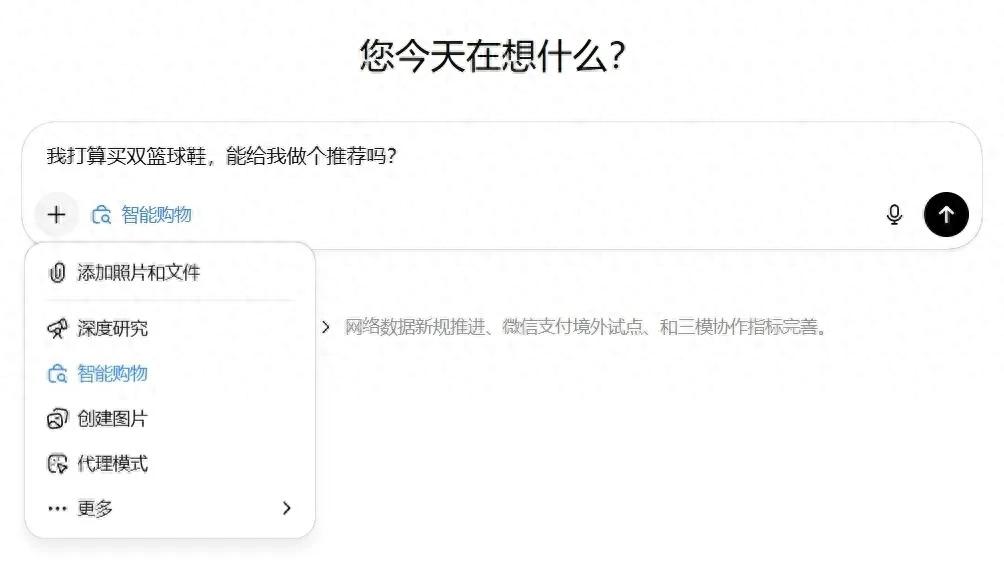
I asked it to recommend basketball shoes. Instead of an immediate answer, it presented me with a “questionnaire” containing five or six questions, such as my budget, gender, and which performance aspects I value most.
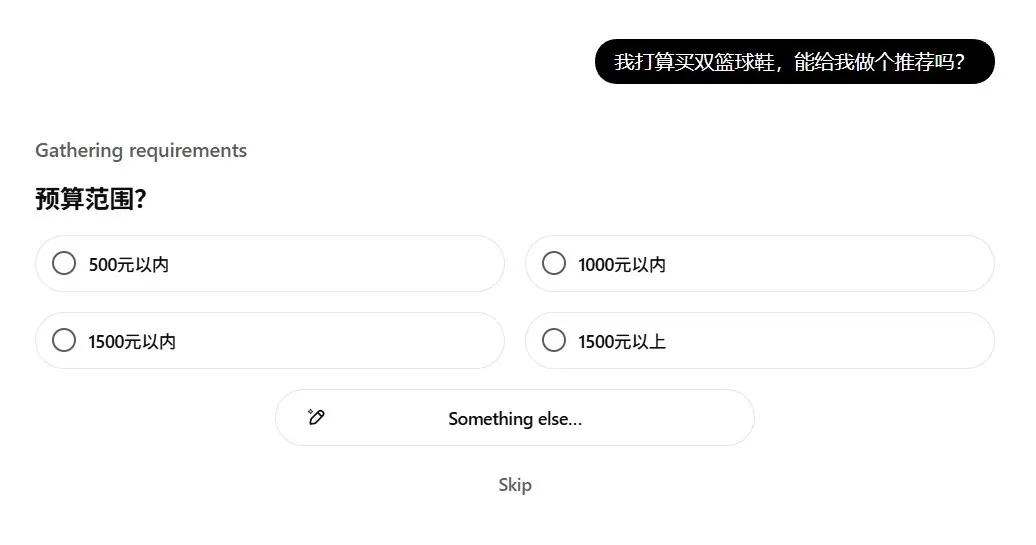
Interesting. I answered each question in turn.
Then, it presented a second questionnaire with about a dozen product cards, including images, prices, and other product information. Below each card were two buttons: “Interested” and “Not Interested.” If I selected “Not Interested,” it would ask for the reason—price, style, features, or brand.
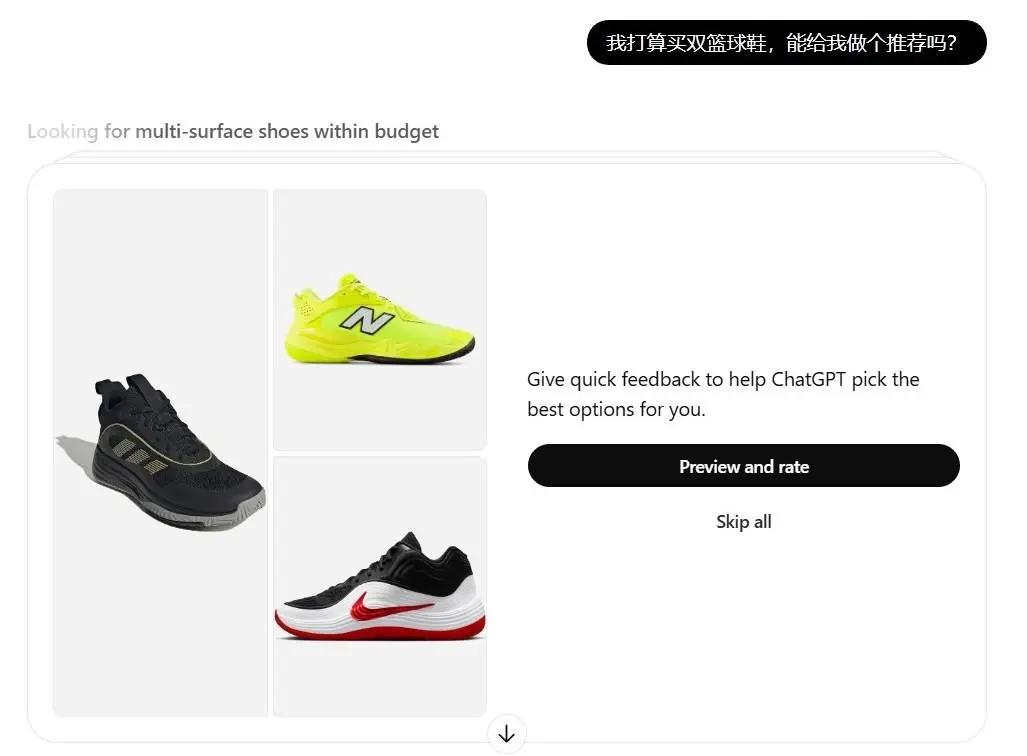
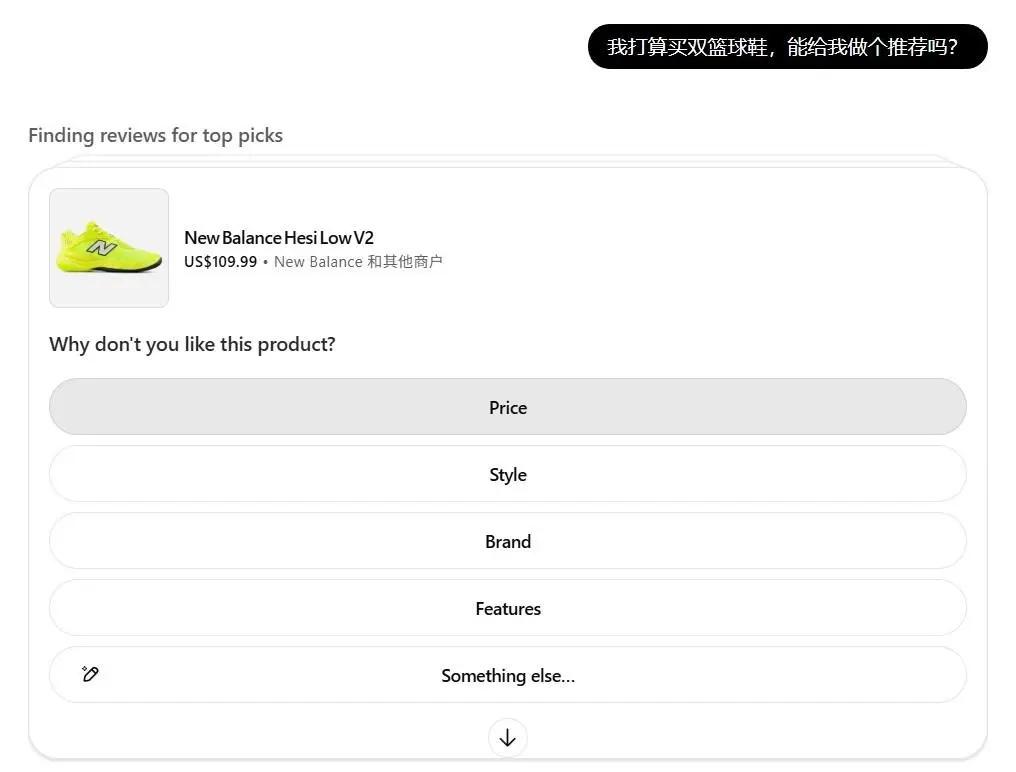
(Swipe left and right for images)
Finally, after completing the questions, I waited.
About five minutes later, a report was generated. It recommended five pairs of basketball shoes, complete with reasons for the recommendations, suitable audiences, and product links. Clicking the links led to the product detail pages on shopping platforms, along with a comparative table.
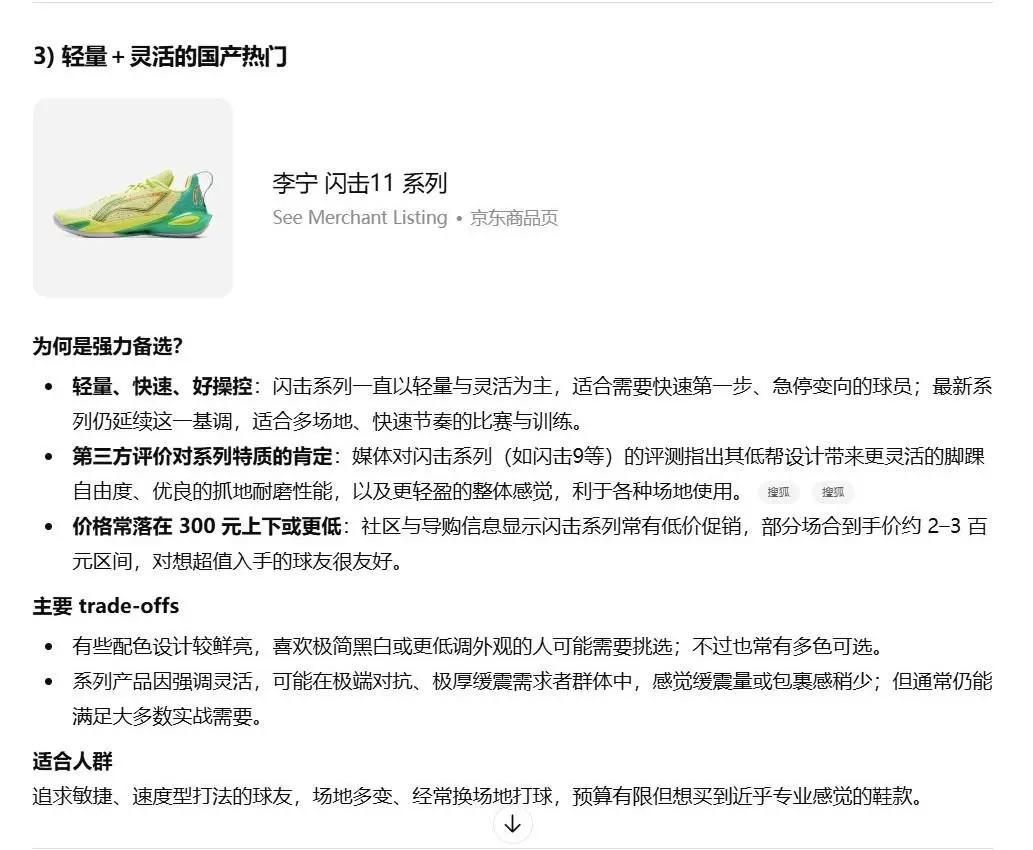
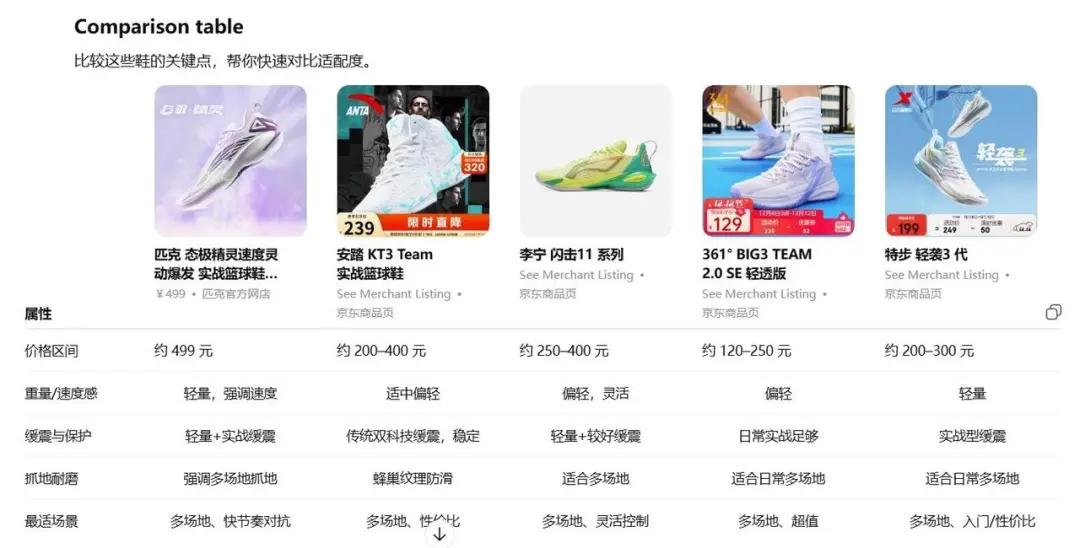
(Swipe left and right for images)
Hmm. Although answering the questions was tedious and the wait was long, it did feel somewhat like having a sales assistant.
Next, I conducted a second test. This time, I didn’t specify a “category” because when I can name a category, I usually have a clear idea of what I want. Instead, I provided only “pain points” and “needs.”
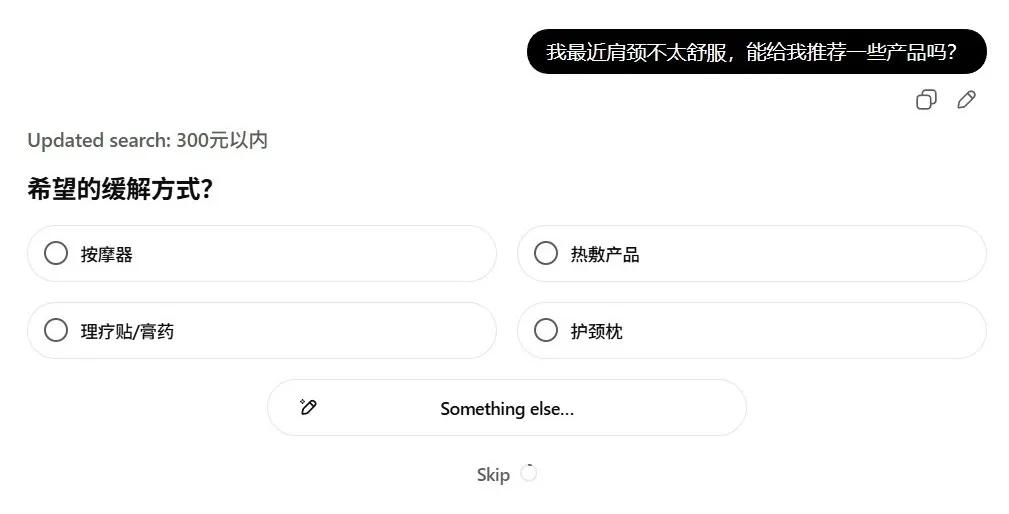
I asked for product recommendations for my recent neck and shoulder discomfort.
As usual, I went through the first questionnaire, then the second. After waiting for the report…
Strange things started happening.
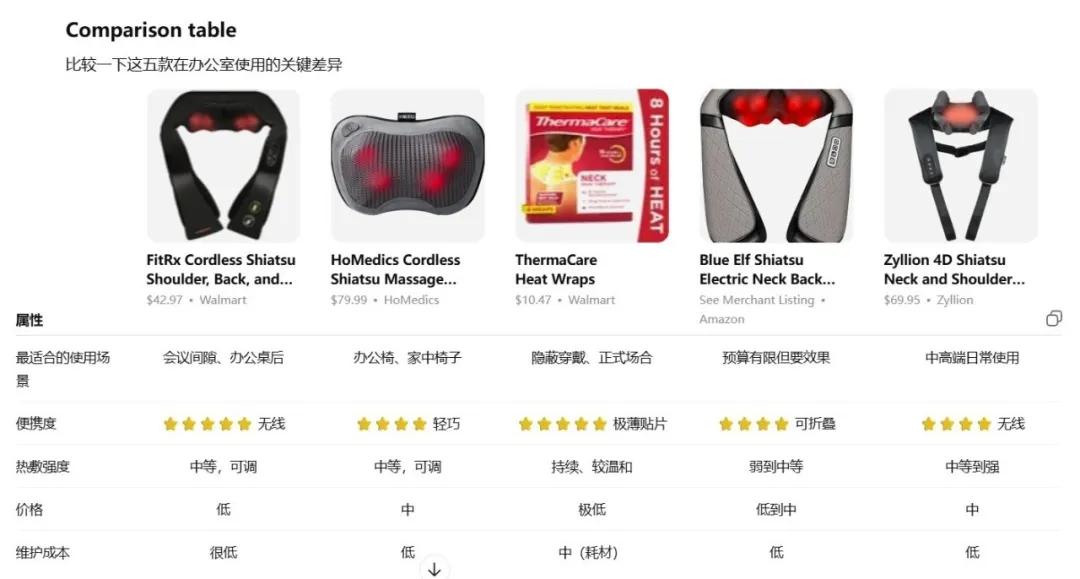
For instance, I had clearly indicated a budget of “under 300 RMB” in the questionnaire, but the recommendations included options priced at “79.99 USD”; also, despite marking one product as “Not Interested,” it still appeared as my top recommendation. Additionally, I didn’t select “therapeutic patches,” yet they were included in the final recommendations…
I was frustrated. I told it I didn’t want anything over budget, nor the “therapeutic patches,” or that top option.
Guess what?
It remained very polite and prepared a new batch of… product cards. Then it asked me if I was interested in toilet paper…
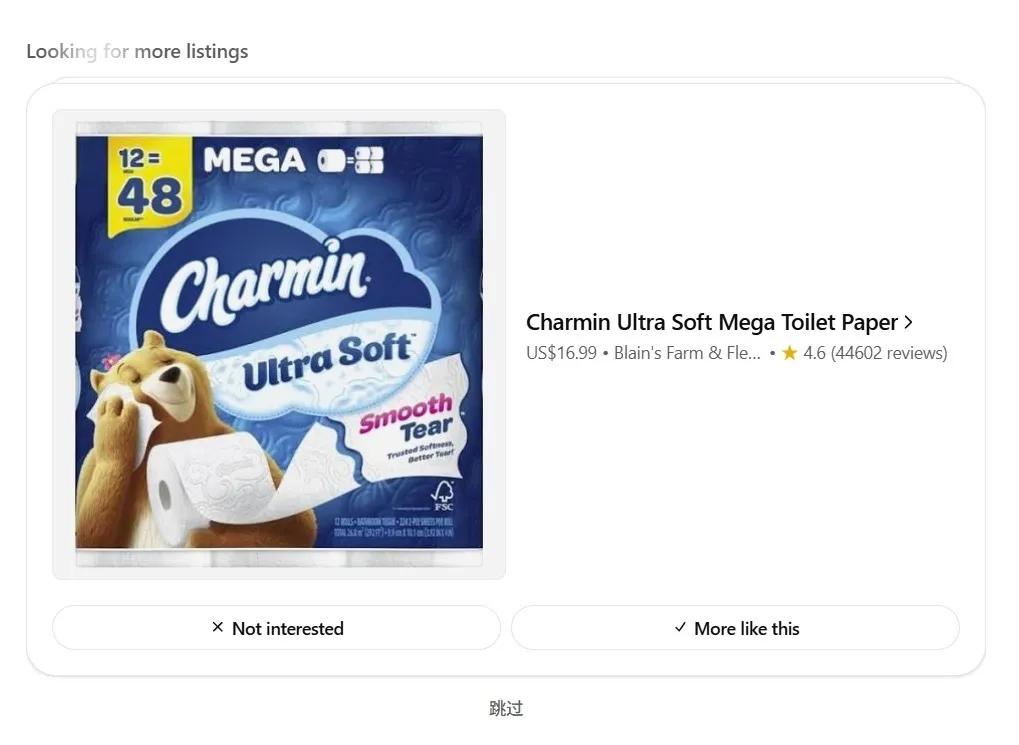
Curious, I decided to see what would happen if I only provided a “scenario” without specifying a category or needs. I asked, “We are moving to a new office; what do you think I need to buy?”
After answering, I waited. The recommendations included mainly shelving, office plants, and some decorations.
However, when I tried to click on the product links, I discovered that half of them led to blank pages.
Yes. Some non-existent product links were also generated.
Alright… let’s stop here for now.
What do you think?
To be honest, although my testing wasn’t thorough, my genuine feeling is that it’s quite poor. There are many issues with it being “not very useful.”
For example, the so-called “in-depth research across the web” does not truly encompass “the entire web.”
The official ideal is to read all “public retail websites.” However, they also admit they prioritize “high-quality information sources” and use a “whitelist” mechanism. This means it doesn’t look at everything but only at websites it trusts. That’s why the product links I received were almost exclusively from JD.com, brand official websites, and a few overseas sites.
This indicates that, at least for now, you are unlikely to find the real “best prices across the web” through it, as there are too many channels, platforms, and product detail pages it simply cannot see.
It claims to give me access to the world, but only allows me to see within its limited scope.
Moreover, the so-called “smart shopping” often turns into “foolish shopping assistance.”
It generates non-existent product links, recommends items over budget, resubmits rejected products, and even asks if I’m interested in toilet paper when I’m trying to address neck and shoulder issues… making me feel that my input and time are not respected.
Additionally, the questionnaires have time limits. If you answer too slowly, the questions are automatically skipped; generating reports takes time. Providing feedback requires waiting, and you must wait because it might give you a new set of questions. If you don’t respond in time, you will miss out; ultimately, the time needed to make a purchasing decision is not significantly less than doing the comparisons yourself…
So, it’s far from being “usable.” Smart shopping is still quite a distance from being “functional.”
However, I want to emphasize that this is not the most important aspect.
What truly matters is that as long as it can continuously adjust and improve, it will certainly impact the commercial world.
Why?
Because it directly influences the “traffic entry” for shopping.
What does that mean?
For over a decade, when we think about buying something, we immediately think of platforms like Taobao, JD.com, and Pinduoduo as the “entry points.”
Being the “first entry point” allows them to attract a large number of suppliers, decide how traffic is distributed, determine which products rank higher, earn price differences, commissions, and advertising revenue, and become giants.
But what if there is a sufficiently smart and reliable AI shopping assistant? Then our “first entry point” for shopping could be a chat window. We would tell the AI, “I want to buy basketball shoes, and I need to solve shoulder pain.” The AI would research, compare, and filter on our behalf, ultimately presenting us with the best options.
This is very appealing to many users.
However, at that point, which products we see, or even which platform’s products we see, might be determined by the AI.
For businesses, this means that in the past, you had to study search engine optimization, direct marketing, and do everything possible to get your products in the top search results. In the future, you will also need to understand what types of products are considered “readable, trustworthy, and worth recommending” in the eyes of AI. Because whether or not you appear in the recommended options is crucial.
For platforms, this also means you might transition from being the “first entry point” for users to becoming AI’s “supplier” and “database.” This fundamentally shakes the foundation. Therefore, many platforms are also working hard to create their own AI shopping assistants, like Amazon’s Rufus, Taobao’s “Taobao Q&A,” and JD’s “Jingyan.” This might help keep users within their ecosystems.
Essentially, this is not a battle of “who is more useful in the short term,” but a war of “who will be the entry point in the long term.”
Yes.
Today’s smart shopping is quite poor.
But it still offers a possibility.
A possibility of “where the traffic entry for future shopping will be.”
A possibility of “what future shopping will look like.”
Hmm.
The world is indeed changing rapidly.
Comments
Discussion is powered by Giscus (GitHub Discussions). Add
repo,repoID,category, andcategoryIDunder[params.comments.giscus]inhugo.tomlusing the values from the Giscus setup tool.